What is cyber security?
Security is a topic that goes through our heads subconsciously. We lock our car doors, the house, lock our phones, and many other actions to remain secure. There are many types of security depending on the topic or use case but here I will introduce you to cyber security!
What is cyber security you may ask. It is the security and protection of computers, networks, and systems from attacks by threats. Everyday there are malicious actors (the bad people) that will stop at nothing to try and hack in order to disrupt, steal or harm businesses and innocent people. These cyber criminals will connect any data such as trade secrets, addresses, names, social security numbers and other PII (personally identifying information) to sell or hold ransom.
Cyber criminals can attack in dozens of different ways. Their arsenal of tools may consist of malware, social engineering, and other tactics that may depend on the device or software. The tactics used may also be physical and not just on a computer. Before we continue I’ll break them down a bit and give y’all some definitions to better understand these terms and different types of hacking methods.
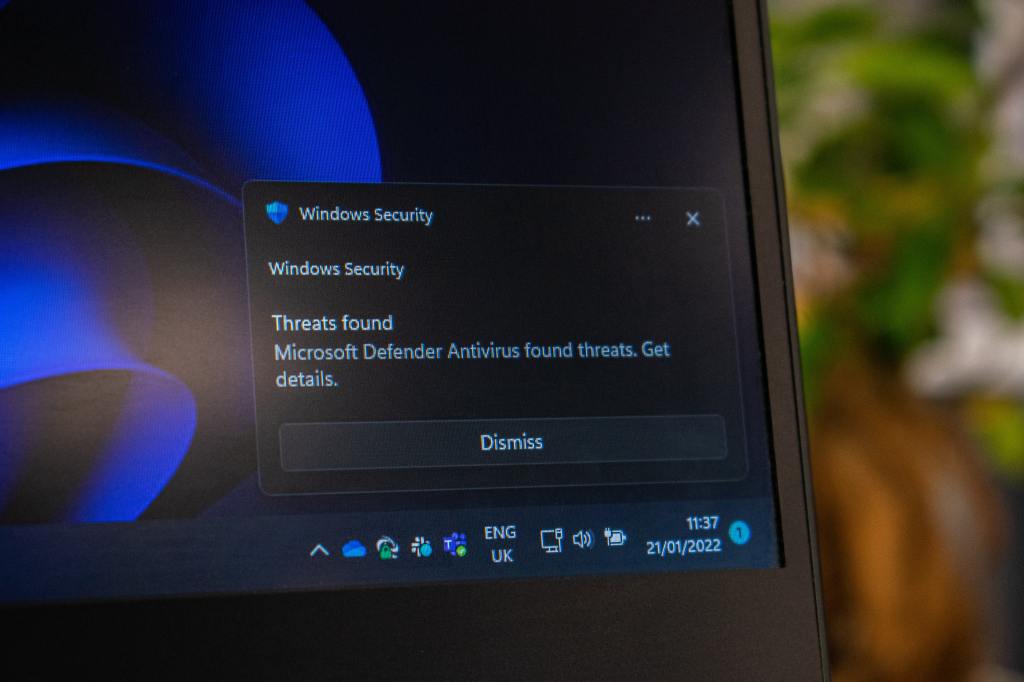
- Malware – malicious software like viruses, trojans, worms, and other tools that could be used to exploit a device.
- Trojan – malware that disguises itself as a harmless application but has hidden malicious intent. (Think of the Trojan horse that the Greeks used to secure the city of Troy!)
- Virus – a program that once executed will act on its own to replicate its code onto other files or applications. (viruses will act differently depending on the motives of the creator)
- Worm – malware that is able to spread and replicate on its own without user intervention via a network.
- Social Engineering – the deceiving or manipulation of people into executing actions that could harm and expose their device or reveal sensitive data.
- Phishing – social engineering tactic that is deployed via email. The threat actor will try to impersonate a company or person of importance to either manipulate you into revealing sensitive data or to gain access to their device.
- Vishing – Tactic that is the same as phishing but done via a phone call.
- Some are even bold enough to disguise themselves as a maintenance, IT, or any other entity to hack their way into a building!
- Some cyber criminals are also able to hack into hardware to find ways into a system. Many threat actors or criminal organizations will have dedicated teams working on computers, laptops, firewalls, or any device in search of exploits to use.
- Here are some additional terms that I will be using throughout this blog.
- Threat Actor – a person or group of people who take part in cyber attacks on companies, organizations, etc
- Crowned Jewels- the most important or valuable asset in a company/organization
- Vulnerability – the state of being vulnerable; being susceptible to attacks
- Exploit – software, data, or actions that could be used to take advantage of a flaw in a system
- Hardware – the physical components of a device (computer, tablet, phone, etc.)
- Software – a program or operating system that is used on a device (computer, tablet, phone, etc.)
- Attack Surface – the different points of entry in a system, environment, etc. that could be attacked.
- Data Breach – when a company/organization is hacked which results in the leak of sensitive data. The data could be anything ranging from bank account numbers, addresses, prescription information, etc. coming from clients or employees of that certain company/organization.
- VPN (virtual private network) – a type of private connection where data is encrypted then sent directly to the source. It is secure because no outsider is able to see what data is being sent.
- Woah, that’s a bigger list than I expected it to be. Nevertheless, we carry on!
Why is cyber security important?
I’m sure you’re asking what is this dude rambling on about and should I care? Yes, you should! Cyber criminals all around the globe hurt billions of people and cause trillions of dollars in damages! Let’s get into some specifics!

- According to Packetlabs in their Cybersecurity Statistics for 2021, they predicted that cyber crime will cost the world an outrageous $6 trillion!
- Fortinet also helps shed some light on the cost of cyber crime. In Fortinets Cybersecurity Statistics, they state that cyber crime costs organizations around $2.9 million every minute! I can only imagine that the cost will continue to rise over the years.
More and more people everyday are affected by the actions of cyber criminals. They suffer from identity theft, blackmailing, scams, and even loss of valuable items. Most of these events most likely originated from a data breach. Massive amounts of data from many different companies in different industries have been exposed to the public over the years. Even you (yes you) may have sensitive data out there in the dark web that may have already been used! Let me show you the extent of these data breaches.
- Fortinet has come through once again with some stats on various data breaches over the years:
- In 2013 Yahoo suffered a data breach that left 3 billion accounts exposed, one of the biggest data breaches in history! Woohoo way to go Yahoo! (sike)
- Equifax was also hit in a data breach which exposed around 143 millions consumer accounts! They lost around $4 billion due to the attack and were fined $425 million by the Federal Trade Commission.
- Under Armors application, MyFitnessPal, was also hacked which resulted in 150 million affected users.
Like I said before, these threat actors will not care who or what they are affecting. They just want those crowned jewels to make a quick buck. Sadly, you may or may not have already fallen victim to a data breach, don’t worry I’ve been a victim as well. Luckily I have a tool that will let you know if your email, phone number, or passwords have shown up in a data breach. It’s a website called ‘:–have i been pwned? that was created by web security consultant Troy Hunt. It is a database that was created to allow you to search your email, phone number, and password into a database to see if it has been exposed in a breach. Pretty helpful tool to start that journey into securing yourself against threats online.
How can we help?
The cyber security industry is in dire need of people to work many security related jobs now more than ever. Packet labs lists in their Cybersecurity Statistics that there were around 3.5 million unfilled cybersecurity positions in 2021! Many of these understaffed security teams are working around the clock just to keep people safe. One could take the initiative to go to school to study in the cybersecurity field.
Sometimes a degree may not even be needed! There are plenty of industry known certifications that can be earned to show your proficiency and understanding of concepts such as: Security+, CISA (Certified Information Systems Auditor), SSCP (Systems Security Certified Practitioner) and many more. Being able to remember concepts is great but being able to use those concepts in projects or labs that show you have hands-on experience is valuable as well.
One of the best ways to help the fight is to educate and train the everyday end user (you). Educating the end user on basic security knowledge will help reduce their attack surface. The end user is one of the most important pieces in any IT or cyber security infrastructure. On Packetlabs Cybersecurity Statistics they stated that in 2021 about 85% percent of breaches involved a human element. This is why it is so important to be aware of everything that goes on in your online life. One little slip could be the beginning of the end but I want to help and try to prevent that! Here are some tips to keep you safe online!
- Use strong passwords; recommended passwords usually are around 16-20 character length, are alphanumeric, use special symbols (ex. $#@) and use both lower and upper case letters.
- Use multi-factor authentication whenever possible!
- Be weary of any links that you are not 100% sure about. Links can be disguised as legit looking links but will lead you to a malicious site once clicked.
- Use a VPN when on public networks.
- Change passwords every 3-6 months and never reuse old passwords.
- Keep passwords in a secure password manager.
- Be wary of vishing (scammers calling and asking for gift cards) and phishing attempts (fake emails asking for sensitive information)
- Change default credentials on routers, access points, etc.
Conclusion
Now that I’ve dipped your toes in the cast ocean of cybersecurity, I’m hoping that you’ve left with a byte or two of how it involves our everyday lives. Remember that these cyber criminals will do anything to gain access to your crowned jewels. That’s why you should always keep that “thang” on you, and by that “thang” I mean basic online security knowledge. With that I’ll leave you with this; Are you doing enough to keep yourself safe online?

 Byte of Tech